

Windows Updates and New Features
1.What is Windows Updates And New Features
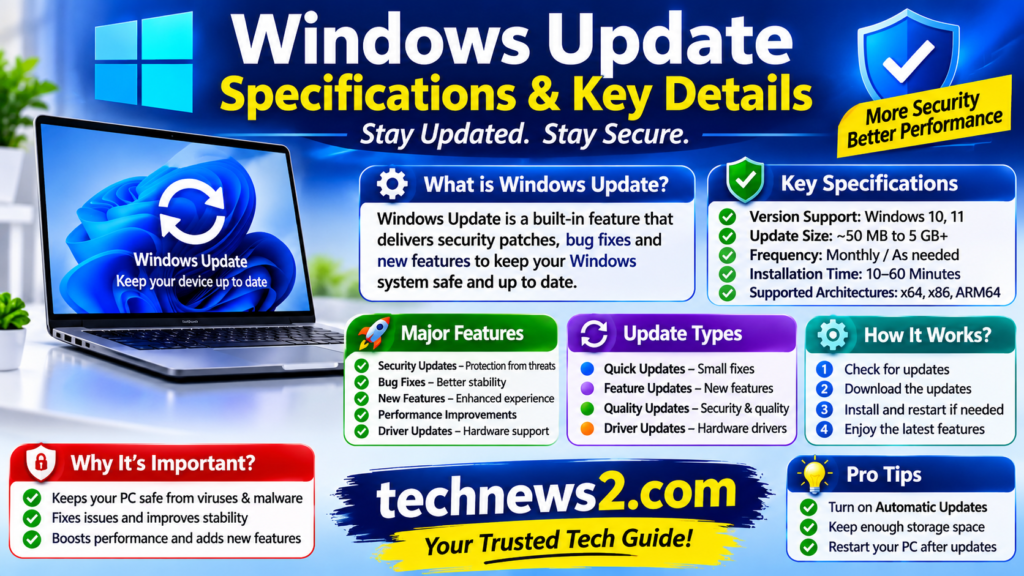
Updates And New Features : is a built-services and Microsoft Windows that keeps computer secure, Stable Compatible, and up to date with New Feature like Microsoft’s ” Windows as a Services ”and Models, Updates and Antivirus products and Delivered. The new operating and automatically downloads and installs updates like fix errors, protect against security threats and introduce new features.
2.About New Updates And Features
| Updates And Features | Details |
| Security | Protect your computer against viruses, malware, ransomware, and security vulnerabilities. |
| Annually | Major OS Upgrades that introduce significant new user interface changes, Ai capabilities, and system-level architecture improvements |
| Bug Fixes | Resolve errors and problems in windows |
| New Features and Performances | Improve system speed, stability and reliabilities also Add new functionality to windows. |
| Bundled with Quality Updates | Updates the component that actually installs windows updates, ensuring future patches install smoothly and without errors |
| Compatibility and Driver Updates | Improve compatibility with hardware, software devices . Also Drives Updates for better graphics cards, printer, network adapter and many other hardware. |
3.Important Windows update Options
| Option | Purpose |
| Check for updates | Search for available updates |
| Pause updates | temporarily stop receiving updates |
| Update History | View previously installed updates |
| Advanced options | Configure additional update settings |
| Active hours | Avoid automatic restarts during working hours |
| Optional updates | View optional drivers and others updates |
| Delivery Optimization | Control how updates are downloaded and shared |
| Get the latest updates as soon as they’re available | Receive eligible non-security updates and improvements earlier |
3.How the Updates Process Works
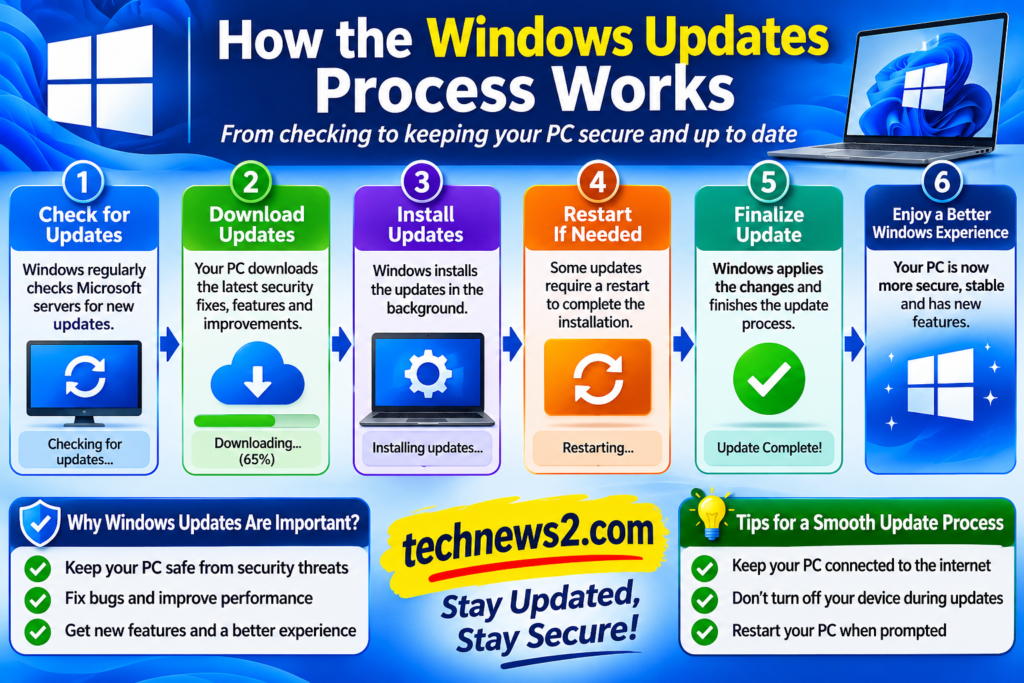
To use the process works for Windows Update Orchestrator updates in five to six distinct phases like Scan, Download, Install. ( Staging ), Commit, Packaging Componentization, Intelligent Delivery, (CDN & Deltas), Background Staging, Installation & Trusted installer Hand-off and etc.
Scan : Yours PC connects to Microsoft’s updates serves ( or a local enterprise server like WSUS ) to compare your currents OS build and hardware drivers against available.
4.Authoring, Packaging, and the Component Store
Unlike traditional software installers that overwrite whole programs. Windows is built on a modular architecture managed by the Component Store. Every system Files, Driver, and registry keys as an in depend, versioned component.
Points: Componentization: When Microsoft updates a single file (e. g. ,a security flaw in a DLL), they do not push an entire new operating system. They package just that specific component update as a CAB (Cabinet) or MSU (Microsoft Updates Standalone) file.
Manifests : Each package contains an XML manifest that tells Windows how to safely replace the old version without breaking dependencies for other apps services.
Download : Updates are downloaded quietly in the background. Windows uses Delivery Optimization, which can pull parts of the update from other PCs on yours local network or the internet to save bandwidth and speed up downloads.
5.Delivery and Optimization (CDN & Branch Cache)
Differential Downloads: Once an update is compiled and tested via the Windows Updates frequently downloads only the binary differences ( deltas ) between what is currently on PC and the new version, rather than downloading entire files from scratch.
Peer-to-Peer (P@P): If you have multiple PCs on your home network or local area network, windows can download an update on one computer and securely share those downloads chunks with yours other local PCs to save internet bandwidth.
6.Install (Staging)
Windows unpacks and stages the new system files in the background while you continue working, minimizing downtime during the actual reboot.
7.Staging and Preparation (Background Work)
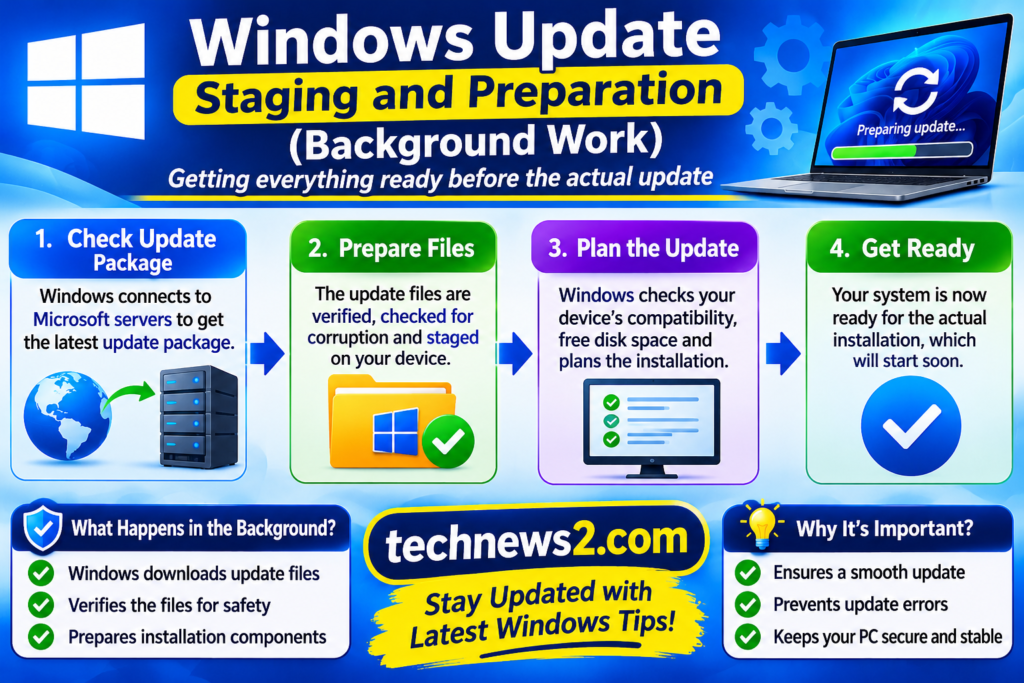
When your PC checks for updates the Windows Update Agents (the local service running on your machine) communicates with Microsoft servers via HTTPS to query your system manifest again the latest Catelog.
Download to Software Distribution : Approved updates are downloaded and cached temporarily in c: Windows\Software Distribution .
Staging : The system unpacks the CAB files and stages the new components in the WinSxS store while you are still using your computer. This is why updates can take a long time to download and prepare, but usually don’t interrupt your work yet.
8.Commit
When your PC restarts, Windows swaps the old system files with the staged ones, updates the registry, and cleans up temporary files. (like in windows 11, eligible updates are grouped together when possible to reduce the total number of restart required)
9.Installation and the Trusted installer
When its time to install , windows hands off the operation to Trusted Installer (a high-privilege system account designed to modify core OS files Safely).
10.Points like CBS and Offline Servicing (Reboots)
CBS (Component-Based Servicing : The CBS engine reads the package manifests applies file replacements, updates the Windows Registry, and updates boot configurations.
Offline Servicing ( Reboots ): Files that are locked and actively in use by running Windows services cannot be swapped out live. This is why a system restart is required-the PC boots into a lightweight pre-boot environment or process the pending file renames right before the graphical shell loads.
11.Verification and Rollback Protection
Before marking an updates as successful, windows performs integrity checks.
Safe OS Rollback : If a Article driver crashes or the system fails to boot after an update, windows features built-in safeguards that automatically roll back the changes to the previous stable state, preventing yours computer from getting stuck in an unbootable ”Brick” state.
Latest Samsung, oppo, Vivo & iPhone Best Updates -November 2026